




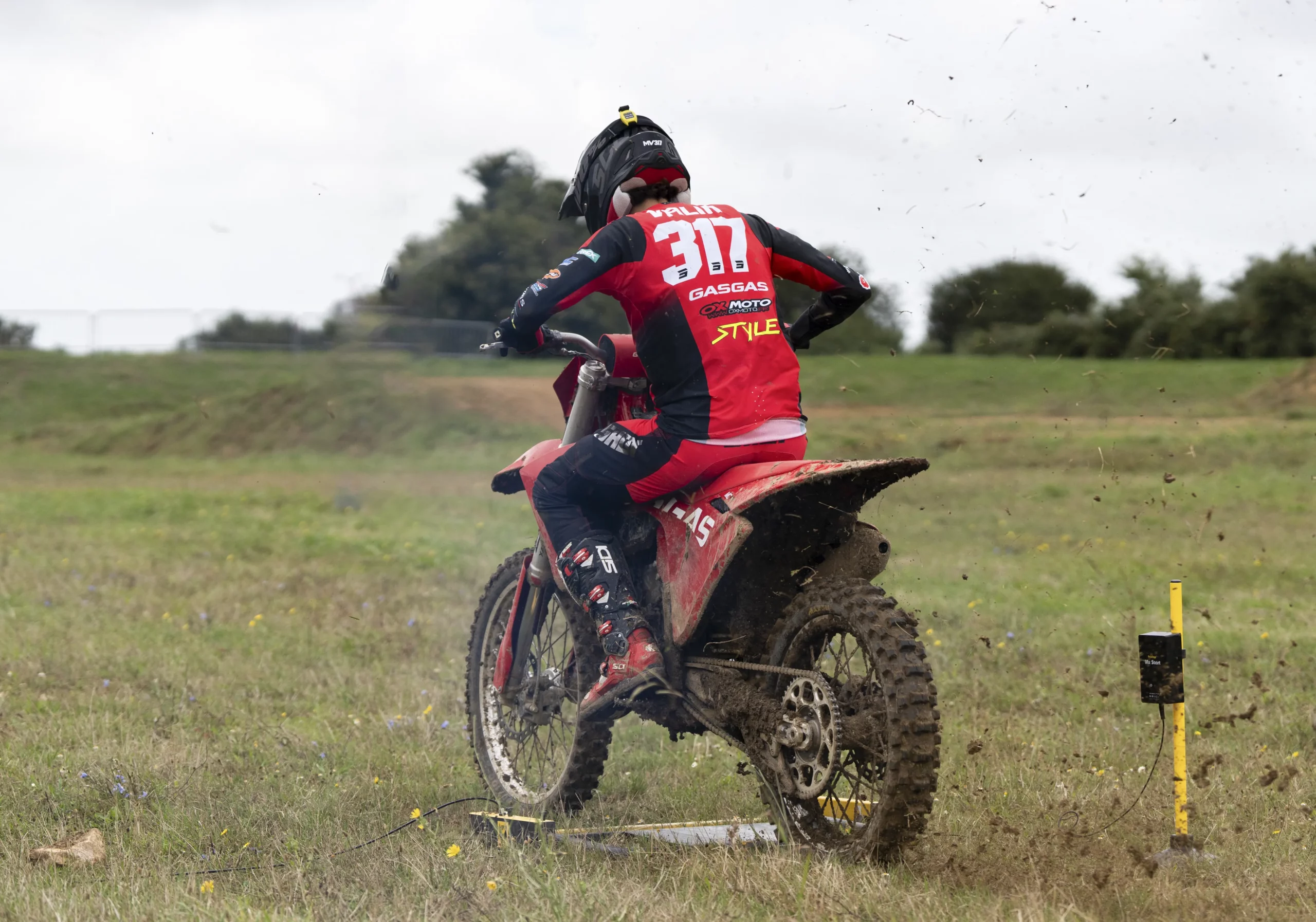
Motocross

Introduction
Automate the timing of your motorsports training sessions with a wireless system designed for tracks and circuits. Get your lap times, split times, time gaps and rankings, then access your data in MyFreelap on mobile and on the web.
The current motorsports page also highlights 2 main setup approaches : a standard Start-to-Finish system and a loop system.
PDF guides for motorcross
Retrouvez ici le document de référence pour configurer votre système Freelap en moto. La documentation actuelle propose bien un Moto - Guide rapide dans la rubrique des guides rapides.
Main use cases in motocross
Lap times
Time your laps.
Track sector work
Add one or more intermediate transmitters to analyze specific sections of the track.
Individual rider
One chip and one transmitter are enough to collect your lap times. Your times are displayed live on the Freelap LED Display.
Coach
Use one chip per rider. Collect times live in your MyFreelap app, while your riders can view their times live on the Freelap LED Display.
Useful components
FxChip BLE + FxMX
Attach the transponder to the rider’s goggle strap using the dedicated Velcro band. Position it vertically, centered at the back of the helmet, with the front facing outward. The quick guide states that the FxChip activates when in motion and turns off after 10 minutes of inactivity.

PowerUnit & SpaceUnit
Use the PowerUnit & SpaceUnit as a versatile transmitter. Select the START / LAP / FINISH code, then place the transmitter on the ground, at the edge of the track, parallel to the track, with the logo facing the track. Place it no more than 6 m from the rider’s path.

Mx Start (option)
Add Mx Start if you want a dedicated start transmitter setup and start gate compatibility in certain advanced configurations. The motorsports page presents it as a specific product and as an option for the riding school pack.

LED Display
Add an LED Display to show live times. Place it between 10 m and 50 m maximum after the FINISH transmitter.

Handlebar pad
Use the handlebar pad to hold a phone running the Live app, allowing riders to view their times directly in real time in front of them.

The MyFreelap app
MyFreelap is the main app for using your Freelap system. It allows you to start a training session, use Quick Timing mode, view live results and save your data. The official guide distinguishes two Quick Timing cases : FxChip BLE or Relay Coach BLE + FxChip.

Getting started with motocross

I am new to Freelap
Start with the Individual Pack setup, including FxChip BLE + FxMX, PowerUnit & SpaceUnit, handlebar pad and drawstring bag. Use it to time your laps in loop mode with handlebar display.

I want to measure split times
Add PowerUnit & SpaceUnit transmitters coded as LAP. Respect a minimum of 0.7 seconds between 2 transmitters, with a maximum of 11 transmitters on your path.

I want to time several riders
Use the Riding School Pack setup. It allows you to time 10 or more riders, with live results, split times and start gate compatibility.
I want a loop setup
Choose a loop setup with a FINISH transmitter at the main passing point. This is one of the 2 basic setups presented in the quick guide.
I want a start gate
Add compatible equipment such as Mx Start according to your training scenario. Start gate compatibility is highlighted on the motorsports page and in the pack comparison.
Useful resources
To go further, you can consult the following pages:
Need help with your motocross setup?
First identify your need : total time, split times, loop setup, start gate or group training. Then download the quick guide, consult the related manuals and contact support if needed.