




Speed skating
Introduction
Time your laps with a compact, lightweight system that is quick to set up, both indoors and outdoors. Then use MyFreelap to view your live results, access your recorded data and analyze your performance after the session.
The current page also highlights 3 main setup approaches : loop timing, Start-to-Finish section timing, and pistol start timing.
PDF guides for speed skating
Find the reference document here to configure your Freelap system for speed skating. The current documentation includes a Speed skating - Quick Guide in the quick guides section.
Main use cases in speed skating
Standard timing
Measure your passages at the same point on the track with a simple setup requiring only one transmitter.
Individual athlete
One chip and one transmitter are enough to collect your lap times. Your times are displayed live on the Freelap LED Display, as well as in the MyFreelap app.
Coach
Use one chip per athlete. Collect live times in your MyFreelap app, while your skaters can view their times live on the Freelap LED Display.
Useful components
FxChip BLE + FxSkating
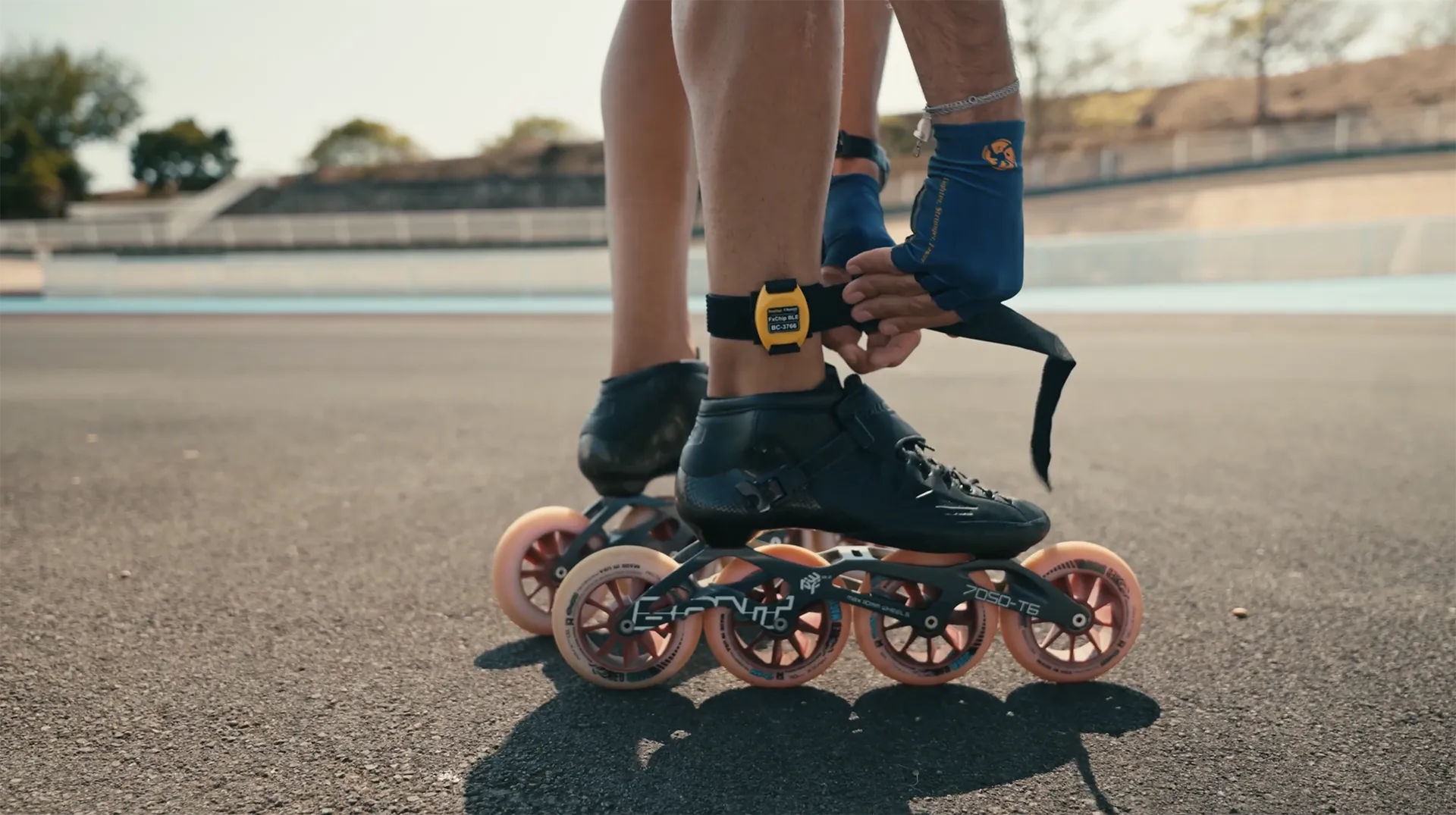
Attach the transponder to the athlete’s ankle, in a vertical position, with the front facing outward. Use this setup as the common base for starter, advanced and track equipment packs.

Tx Track Pro
Use the Tx Track Pro for loop timing, a complete section, or to add split times depending on your setup. The current comparison gives it a 3 m detection zone.

LED Display
Add an LED Display to show live results during training. This option is available in the advanced and track equipment setups.

Tx Full Track
Use the Tx Full Track to equip your track. This cable-based solution covers the full width of the track.
For installation, place the antenna cable on the track and secure it with the dedicated tape. For use on ice, it must be installed under the ice at a depth of approximately 10 cm.

The MyFreelap app
MyFreelap is the main app for using your Freelap system. It allows you to start a training session, use Quick Timing mode, view live results and save your data.
The official guide distinguishes two Quick Timing cases : FxChip BLE or Relay Coach BLE + FxChip.

Getting started with speed skating

I am new to Freelap
One transmitter and one FxChip BLE are enough to time your lap times.

I want to time multiple athletes
Use one chip per athlete. Choose between the Tx Track Pro transmitter, which is mobile and offers a 3.5 m detection field, or the Tx Full Track transmitter, which covers the full width of the track.

I want split times
Add one or more transmitters coded as LAP along your track.
I own my track
If you are allowed to cable your club’s track, the best solution is to install a Tx Full Track transmitter. It allows for permanent use.
Useful resources
To go further, you can consult the following pages:
Need help with your speed skating setup?
First identify your need: loop timing, Start-to-Finish section timing, pistol start, split times, or permanent track equipment. Then download the quick guide, consult the related manuals and contact support if needed.